One of the ladies who recently attended our "Introduction to Genealogy & Ancestry.com" workshop is tracing her Cuban heritage. She emailed me recently asking for some assistance on where to find records. It doesn't appear as though many records for Cuba are on Ancestry.com, which really isn't that surprising since they have been a very closed society.
So I did a little research to see if I could provide some guidance on where to look, and surprisingly enough there appears to be a variety of websites with information available, so I'm creating this resource page for anyone who will be tracing their Cuban roots.
Aside from Ancestry and Family Search, one of the first places we all should be going to is a GenWeb page. The USGenWeb.org project created a page for every county and state in the U.S., but there is also a WorldGenWeb.org page for every country. This is a great resource for all of us since we will eventually being looking for records in a foreign country.
#1 - The CubanGenWeb page contains lots of information with links to Cuban genealogy clubs, archives, databases and more.
#2 - The University of Miami has a Cuban Heritage Collection which might be beneficial. It's possible that genealogy volunteers might be available to look up information for those who do not live in the area.
#3 - The Cuban Genealogy Club of Miami looks to be well organized with a lot of resources available. This would be a great resource to go to for guidance.
#4 - Florida International Universities Libraries has an online resource that they claim is the "Cuban equivalent" of Ancestry.com. It is a resource that has been created to help families of the Cuban diaspora research their roots. It contains an extensive set of family trees, civil records and sacramental documents.
#5 - Genealogy Stack Exchange is a site that provides genealogy resources for every country. It's also a place to post a question and receive help. This particular link goes to the Cuban resource page.
#6 - Geneanet provides a resource page for Cuba where you can click on one of the regions of Cuba to search for records.
#7 - A blog entitled Hispanic Genealogy has included links to two sources he has found valuable in searching for records. He's been sharing his search on his blog since 2007 which can be found by clicking here. Blogs can be very helpful in learning how to research a particular location.
#8 - Tobias History Research provides some advice and links to search, as well as information on church and military records.
#9 - The Cuban page on Genealogy Today contains links to many resources.
#10 - Find My Cuban Family includes information on Cuban genealogy communities, databases, digital collections, immigration, books, maps and more.
#11 - The Guide to Cuban Genealogical Research - Records & Sources by Peter E. Carr is another good resource for understanding how to search for Cuban roots.
#12 The Cuban DNA Project by Family Tree is a good starting point for understanding your DNA results.
#13 - The Genealogy Forum's Research in Cuba contains links and is a place to ask questions and receive responses from others who are researching in Cuba, too.
#14 - Kindred Trails page for Cuba contains links to various records.
#15 - Cyndi's List has a page of links to Caribbean & West Indies resources (in which Cuba is included).
#16 - Genealogy Wise is a forum where you can post questions and receive help from others.
#17 - The Cuban Club of Miami group and The Cuban Genealogy group on Facebook will be an invaluable resource. So whether you like Facebook or not, create an account just to take advantage of these groups. Every state and country has groups, and I'm telling you these groups are invaluable with their help and suggestions.
#18 - Books available at Amazon on Cuban history & genealogy research.
A quick Google search is all you need to formulate a list of available resources. This applies to all of us, no matter what state or country we're researching in. All of the records we need are not contained on one site. When we run into a dead end on Ancestry (our first choice), our list of resources will become invaluable to us, and may very well be the difference in whether we meet with success or not.

Wednesday, May 24, 2017

Tuesday, May 23, 2017
Immigration & Naturalization Records
We were very fortunate to have genealogist, Ann Mohr Osisek, speak at our May 23rd meeting on "Backing Up to the Boat" - Immigration & Naturalization Records. Her presentation was quite informative and entertaining, as she incorporated her witty sense of humor into it.
The following is a summary of a couple of the key points she made in her presentation. For a printable copy of her handout, please click here.
#1 - Create a Timeline: She began by suggesting that the best way to stay organized in your search for an ancestor's records is to create a timeline of their life. This timeline should include the places they lived throughout their lives. A simple timeline will be a reference point in which to ensure that you're searching in the right state and/or county or country when looking for records.
#2 - All immigrants did not arrive through Ellis Island: There were many ports of entry into the United States. A listing of them can be found here at: National Archives Immigration Records (See Part 5 for all the ports of entry). On her handout she lists the different time periods of immigration and where the records might be found.
#3 - Naturalization forms & Passport Records are two forgotten resources: Naturalization records after 1906 contain quite a bit of information and most likely will reveal the name of the city and country an immigrant is from. Many immigrants traveled back to their home country at some point after their arrival. Passport records might also reveal an ancestor's homeland and a photo.
The following is a summary of a couple of the key points she made in her presentation. For a printable copy of her handout, please click here.
#1 - Create a Timeline: She began by suggesting that the best way to stay organized in your search for an ancestor's records is to create a timeline of their life. This timeline should include the places they lived throughout their lives. A simple timeline will be a reference point in which to ensure that you're searching in the right state and/or county or country when looking for records.
#2 - All immigrants did not arrive through Ellis Island: There were many ports of entry into the United States. A listing of them can be found here at: National Archives Immigration Records (See Part 5 for all the ports of entry). On her handout she lists the different time periods of immigration and where the records might be found.
#3 - Naturalization forms & Passport Records are two forgotten resources: Naturalization records after 1906 contain quite a bit of information and most likely will reveal the name of the city and country an immigrant is from. Many immigrants traveled back to their home country at some point after their arrival. Passport records might also reveal an ancestor's homeland and a photo.
Where to Find Naturalization Records:
Before 27 September 1906 - check Federal, State, County, Local Courts
After 27, September 1906 - check INS but also Federal, District, State Courts
Where to Find Passport Records:
National Archives Record Groups 59 & 84 - from 1791 to 1925
#4 - Find the year your ancestor emigrated from his home country: U.S. Census for years 1900, 1910, 1920 & 1930 include immigration year and citizenship questions.
#5 - Look for a passenger ship record: Some passenger ship lists can be found online, but many have not yet been digitalized. There are many books in genealogy libraries with the names of those included on the passenger lists. Leesburg genealogy library, as well as the Orlando genealogy library (located in the Ocoee Library) contain many of these reference books.
#6 - Learn the history: Read about the history of your ancestor's homeland to see why people were leaving during that time period. Learn more about the history of the town in the U.S. that your family settled in. The names and information about early pioneer families can be found in many historical records and books.
#7 - Talk with living relatives: Be persistent! Many family members are not interested but the more you ask, the more likely they will remember some information. Contact cousins or more distant relatives (DNA matches) to see if they have records or photos. They just might have the one record you need.
#8 - Don't give up! - Finding records is not easy. Many are not online yet, so you may need to order microfilm from FamilySearch.org or records from local & national state archives. Researching is a process that takes time and effort, so keep working at it.
Following is a list of books that Ann highly recommends to assist in your search and understanding of records that are available. Two of these books are located under Google Books (link is available below), while the rest can be found at local genealogy libraries:
* Locating Your Immigrant Ancestor by James C. Neagles
* They Came in Ships by John P. Colletta, Ph.D
* Guide to Naturalization Records of the United States by Christina K. Schaefer
* Passenger & Immigration Index by Filby & Meyers
* They Became Americans by Loretto Dennis Szucs
* Morton-Allen Directory of European Passenger Steamship Arrivals (lists by steamship line, dates of arrival of all vessels from Europe to New York (1890-1930) plus Baltimore, Philadelphia & Boston (1904-1926)
A huge THANK YOU to Ann Mohr Osisek for an informative presentation and to the
Mount Dora Library Association for funding her presentation.
Friday, May 5, 2017
Polish Records - Case Study
NOTE ~ ~ First and foremost, before you can proceed to search for records in Europe or other countries you will need to have found the town of origin for your immigrant ancestor (and preferably their parent(s) name(s)). If you don't know this information you will never know if you've found the right family line or not. In Sandy's case, her grandfather had told her the name, but she also found it on naturalization, birth and death records that she found on Ancestry. On her immigrant ancestor's death record we also discovered the name of her great grandmother's father. So armed with this information we knew where to begin the search in Europe. ~ ~
A GREAT starting point is the FamilySearch.org (Latter Day Saints website) "wiki" online genealogy records page. They have a "wiki" page for every county, state and country. It's an extremely valuable resource and a good starting point when the hints dry up on Ancestry.
There's two ways to find their "wiki" pages. One way is to go to: FamilySearch.org, hover your cursor over the "Search" button on the top tool bar. Move your cursor down to "wiki" which is the last item listed and click on it. Enter your county, state or country that you want to research. Or, the second way (and my favorite) is to simply Google "Polish (insert your city, state or country) Genealogy Records and click on the link to the Family Search wiki page.
In Sandy's case, I entered Poland and the "wiki" brought up a nice selection of links, as well as a listing of jurisdictions, research strategies, resources and tools. It's a great primer on how to search for records that just might help you avoid the frustration of trying to figure out how to search for records in another country.
Once you know the town and country where your ancestor was from, it's generally important to narrow that town down to the area, jurisdiction or state where that town is located today. For instance, her ancestor's city was once in the Kingdom of Galicia. It was also in Austria/Hungary at one time before ending up in the country of Poland. This information is not too difficult to figure out with the use of Google or any search engine of your liking. You're basically researching the history of your ancestor's city of origin or birth to see what state or jurisdiction it's located in today.
 |
| Image Source: http://www.lostshoebox.com/poland/online-records/ |
She knew their city of origin was Zdziary, Poland. So a few Google searches helped us determine that Zdziary is located in the state of Subcarpathian today. Another Google search for "Polish Genealogy Records led us to the Lost Shoe Box website that contains Polish records. If you look at the map above, her region is in the lower southeastern part of Poland. It lists three numbers under that area: 3, 7, 12. To peruse the records for that area, she will need to click on those numbers listed below the map (see photo below).

Family Tree Magazine also has a page with articles and links to websites with Polish records, a guide to pronouncing your ancestor's hometown, plus much more. Click here to reach that page (scroll down to read the articles).
There is also a Polish Genealogy Group on Facebook that was extremely helpful to her research when we posted a question.
This information is a good starting point for Sandy to continue her family search, and is applicable when searching for records in other European countries, too.
Tuesday, April 25, 2017
Genealogy Tip of the Month

The Latter Day Saints catalog of records on microfilm contains countless numbers of records that are not yet online. These records can be found on: FamilySearch.org

Their records are, generally, located in Salt Lake City, Utah and have yet to be transcribed and placed online. You can search their catalog of records from your home computer. If you find pertinent records for your research, you can place an order for the microfilmed documents to be sent to the Leesburg Public Library where you can view them and make copies of them. The cost for each microfilm reel is generally $7.50.
You will need to establish a “free” account on FamilySearch.org prior to placing your order. When the Leesburg Public Library receives the items they will send you an email that they have arrived.
You will need to establish a “free” account on FamilySearch.org prior to placing your order. When the Leesburg Public Library receives the items they will send you an email that they have arrived.
Keep in mind that you should always check for online records at Family Search, too. Very often they will have different records than Ancestry.
Here are the following steps to search their inventory of microfilmed records:
1. Hover over "Search" on the toolbar located at the top of the page.
2. Place your cursor on "Catalog" and click.
3. You can search by: place, surname, titles, author, subjects and keywords. Click on the one you prefer.
My example will be to search for records in a "place."
4. Type in the name of the "place" (Example: Buffalo, Erie, New York) and hit the search button. You will see that a long list of records are available.
5. Scroll down to whatever records you are looking for and click on it. My search was for church records of which there are 93). When I clicked on "church records" another list of records comes up.
5. Click on the record you want. I clicked on the records for the St. Louis Parish. The information about the record will come up. If you scroll down to "Film Notes" you will see the kind of records contained on the microfilm along with the order number under the heading "Film/DGS."
A couple of things to know about the icons you see on the far right of the screen:
* An old movie film reel indicates that the information is on microfilm.
* A camera indicates that this information is contained online and you can view it immediately by clicking on it.
* A magnifying glass indicates that an index of the records is available to look at prior to ordering. Click on it and you'll be able to view the list of those individuals listed in the records. You can also search (left sidebar) for specific names and any other information you might have to see if a record for them exists. Keep in mind that the index may not be definitive(translations of the names on the records may result in spelling errors), and you might want to order the microfilm and view it yourself.
6. Click on the microfilm icon (old movie film reel) to place your order. Each roll costs $7.50 and will be sent to the library of your choice (which you must select). The Leesburg Library (genealogy department) is the only library in Lake County that has microfilm machines. Once it arrives in Leesburg, the library will notify you by email that the records are available for viewing. You have 90 days to go there and view the films.
If you have trouble placing an order, volunteers are available at the W.T. Bland Public Library on Wednesdays from 10 to Noon to assist you.
Here are the following steps to search their inventory of microfilmed records:
1. Hover over "Search" on the toolbar located at the top of the page.
2. Place your cursor on "Catalog" and click.
3. You can search by: place, surname, titles, author, subjects and keywords. Click on the one you prefer.
My example will be to search for records in a "place."
4. Type in the name of the "place" (Example: Buffalo, Erie, New York) and hit the search button. You will see that a long list of records are available.
5. Scroll down to whatever records you are looking for and click on it. My search was for church records of which there are 93). When I clicked on "church records" another list of records comes up.
5. Click on the record you want. I clicked on the records for the St. Louis Parish. The information about the record will come up. If you scroll down to "Film Notes" you will see the kind of records contained on the microfilm along with the order number under the heading "Film/DGS."
A couple of things to know about the icons you see on the far right of the screen:
* An old movie film reel indicates that the information is on microfilm.
* A camera indicates that this information is contained online and you can view it immediately by clicking on it.
* A magnifying glass indicates that an index of the records is available to look at prior to ordering. Click on it and you'll be able to view the list of those individuals listed in the records. You can also search (left sidebar) for specific names and any other information you might have to see if a record for them exists. Keep in mind that the index may not be definitive(translations of the names on the records may result in spelling errors), and you might want to order the microfilm and view it yourself.
6. Click on the microfilm icon (old movie film reel) to place your order. Each roll costs $7.50 and will be sent to the library of your choice (which you must select). The Leesburg Library (genealogy department) is the only library in Lake County that has microfilm machines. Once it arrives in Leesburg, the library will notify you by email that the records are available for viewing. You have 90 days to go there and view the films.
If you have trouble placing an order, volunteers are available at the W.T. Bland Public Library on Wednesdays from 10 to Noon to assist you.
Tracking Your Ancestors when State and County Boundaries Change
|
|

Our group meeting on April 25th covered a lot of material in an hour and half. Some of our members have gone north for the summer, but we were fortunate to have a few new people join us for the first time today.
Getting "stuck" in genealogy research is a common occurrence that we're all too familiar with. There are many reasons why people have trouble finding records for their ancestors, and our discussion revolved around two of them - (1) county and state boundary changes and (2) records that are not yet online.
We watched an informative video (link listed below) on how this has happened and why it is important to us as family historians. We also explored some websites that help determine the county changes over time, as well a book we have available on Wednesdays (from 10 to 2) in the library.
Since there are far more records than what appears on line, we had a demonstration on how to search the LDS website (familysearch.org) for microfilmed records that can be ordered and viewed at the Leesburg Library.
Lastly, we had a short presentation by Michael Ondrasik of Home Video Studio in Mount Dora. He spoke about the services he offers regarding transfering movies, slides and photos to DVD (and the options available regarding these), old photo enhancement and videotaped interviews with family members. It was very informative as to what he can do to preserve these past memories and create some new ones.
Read on to learn more about State & County Boundary Changes (Click on the link in the upper right hand corner for a printable version of this handout).
Have your ancestors disappeared?
It may not be because they moved. In the past, state and county
boundaries changed many times before becoming permanent. Your ancestor may have
lived in the same house for many years, yet lived in different states and several
counties during that time period. Initially, the counties were quite large, and
as the population grew they were divided – sometimes several times – into
smaller counties.
Why is this important to my genealogy
research?
#1 – When a new county was formed, the records from the old
counties did not move there. In
order to find vital records (land, court, marriage, birth, death, census, etc.)
you will need to search multiple county records to find what you’re looking
for.
#2 – If you can’t find your ancestors on a census but are
sure they stayed in the same place, it’s most likely due to a county boundary
change.
NOTE – It was often easier for people to go to a courthouse
in another county if it were closer. You may need to check the records in 2 or
more counties when researching.
Where can I find out about the county
boundary changes?
Some of the more popular sources for tracking boundary
changes are:
#1 – The FamilySearch History Research Wiki for more information on boundary changes.
#2 – The NewberryLibrary’s Atlas of Historical County Boundaries compiles all boundary
changes chronologically and geographically
(interactive map and PDF downloadable file).
#3 – Historical U.S.County Boundary Maps (Randy Majors Maps) utilizes the Newberry’s Atlas data
and lets you look up the boundaries of a specific place as of an exact date in
time, overlaid on a present-day Google map.
#4 – Ancestry’s Red Book: American State, County and TownResources. Scroll down to locate a state (click on it). Locate the “county
resources in the right sidebar column (click on it) for boundary changes.
History and other resources are available on this site.
#5 – The Mount Dora Genealogy Group has a reference book covering
all 50 states available in the library on Wednesdays from 10 to 2 or at any of
our monthly meetings.
#6 – Why You Can’t Find Your Ancestors in that County:Boundary Changes Video by Amy Johnson Crow.
Update: One of our members, Darryl Getman, sent the link to this article regarding our topic discussion today. Click here to read the article on Using Maps in Genealogy. "This data base contains 2 million entries,including the names of places that no longer exist, as well as variant names for existing places."
Another member, Frank Ford, sent a link to Historic Map Works. Enter a town and state into the "Search" box at the top of the website to find a listing of maps for different time periods. The best part is that some of the older maps actually have family names and locations where they're lived on them.
Frank also provided 2 websites for topographic maps which are good because the often refer to geographic areas no longer on current maps. Ones that may be mentioned in old census records, wills, probate papers, etc. The 2 websites are: USGS and U.S. Board on Geographic Names.
Update: One of our members, Darryl Getman, sent the link to this article regarding our topic discussion today. Click here to read the article on Using Maps in Genealogy. "This data base contains 2 million entries,including the names of places that no longer exist, as well as variant names for existing places."
Another member, Frank Ford, sent a link to Historic Map Works. Enter a town and state into the "Search" box at the top of the website to find a listing of maps for different time periods. The best part is that some of the older maps actually have family names and locations where they're lived on them.
Frank also provided 2 websites for topographic maps which are good because the often refer to geographic areas no longer on current maps. Ones that may be mentioned in old census records, wills, probate papers, etc. The 2 websites are: USGS and U.S. Board on Geographic Names.
Create a timeline of changes
Creating a timeline of the county changes is one of the most
beneficial steps you can take. It won’t take long using one of the sources
listed above, and it will keep you focused and organized.
Sample timeline:
1821 – St. Johns County, St. Augustine
1824 - Orange County
1887 – Lake County
Other Changes that create problems
Changes in street names and house numbers also may create a
problem in locating your ancestors. Many cities standardized their street names
and their numbering system in the late 1800’s or early 1900’s. Main
thoroughfares have taken on a more popular name or have been renamed to honor
national or local heroes. The implementation of the 911 System necessitated
changing many house numbers from 3 digits to 4 or more. Streets or entire
neighborhoods have been replaced by interstates or other highway projects.
Check with a local library, genealogical society and city
directories for a guide to local street name changes.
Create a personalized map of your
ancestors’ homes and events
At Ancestral Atlas you can create a
personalized map that pinpoints the locations of your ancestors’ homes. This
site is free but requires you to register (no credit card details required) and
establish an account. You can make your map open to the public or private for
your own use.
With Ancestral Atlas
you can:
- Attach your
own family history to the map on the location where the event took place,
and share it with everyone else, or keep it private.
- Find out who
else has family events in the same area by browsing the map and
collaborate with them in a secure environment.
- Build your
own "Ancestral Atlas" and visualize your family history.
©2017 Mount Dora Genealogy Group
Wednesday, April 5, 2017
Genealogy Tip of the Month

This website is a HUGE database of every imaginable genealogy resource available online!
Cyndi’s List is a compilation of approximately 332,625 links to online genealogy resources. These links are broken down into 213 categories. Some of the more obscure websites with genealogy information can be found here. Take a look at Cyndi's List, when you've exhausted all other resources you can think of, to keep your research alive.

Tuesday, March 28, 2017
Opening Doors in Brick Walls
“Genealogy is like a scavenger
hunt and a jigsaw puzzle all rolled into one!” ~
Dolores J. Rush
At some point, every family historian is going to come up against the proverbial "brick wall" in genealogy research. This was the topic for conversation in our March 28th meeting, and we had a lively discussion on this topic, since it eventually affects us all. Many shared how they were able to break through their wall, while a few others presented their current "brick walls" seeking advice on how to proceed.
The following is a handout from our "Brick Wall" discussion (click here for a printable version):

There are many records and people available to help you break through it. One of the most important steps you can take is to always use a research checklist to help you keep your notes organized. This one single step will help eliminate frustration and repetition in your search.
Print one
of these research checklist forms to make sure you leave no stone unturned:
Midwest Genealogy Center Research Checklist
Midwest Genealogy Center Research Checklist
Tips on How to Break through a “Brick Wall”:
1) Search for the major primary records: birth, marriage,
death, military and land records for an ancestor. You may need to purchase some
of these, if they are not online.
2) Maximize Census data to the fullest (see our handout for “How
to Maximize the U.S. Census in your Research”).
3) If you know the town or county of a state in which your
ancestor lived, search for a census record using only their surname and the
town or county and state. (Ex: Donaldson in Madison County, Florida).
4) Be sure you are searching for your ancestor in the right
county. Consult an old map to see if the location of a family’s home has
changed due to county or state lines changing. Helpful websites: Atlas of Historical Boundaries – TheNewberry Library and Randy Majors Maps.
5) Search (via a search engine) for churches that your
ancestor may have attended. Some of the old churches are gone, but you may find
their records online somewhere.
6) Use Cluster & Collateral Research techniques.
Collateral ancestors are those other than your direct line: Uncles, aunts,
cousins, nieces, nephews, etc.) Follow
the lines of your ancestor’s siblings in order to find the next generation
back. Look for death records for each
sibling with the hope of finding the town and country where their parents were
from. Cluster research involves researching extended family, friends, neighbors
and other associates (business, etc).
Oftentimes, people from the same town or area immigrated to a specific
area in the new world. By tracking the groups you may find your lost ancestor.
7) In searching for the maiden name of a female ancestor -
Document the middle names of all members of the ‘family group.’ One of the
children may have the mother’s maiden name as a middle name. Search court
documents, divorce cases, husband’s will, property disputes for women’s
surnames.
8) In More recent years – telephone book records, church
baptism, marriage or death records.
9) Research poorhouses in the area your ancestor lived. They
may have needed financial assistance in their old age. Records were kept for
those who lived and died (burial records) in a poorhouse.
10) Search old electoral voting roles.
11) Check federal and state government land grant records to
see if they received a land grant.
12) It wasn’t uncommon for an immigrant to change their
place of birth from their old country to the new. This would be especially true
during World War 1 or 11 for immigrants born in Germany. Always keep this in
mind if you see conflicting records with birth locations.
13) Seek out living relatives for information.
14) Search passenger lists and immigration records. Search Castle Garden for ancestors that arrived between 1820 – 1892.
Search Ellis Island for
ancestors that arrived between 1892 -1954. Passenger lists can be found at The Ship’s List, Cyndi’sList and Ancestry.
It’s always possible that your ancestor returned home, so if
you can’t find any kind of record of your ancestor after a period of time,
search the passenger lists for departures back to their country of origin.
15) Search military records for next of kin information on Fold 3 or through an Ancestry
extended subscription.
17) Study DNA matches for the specific surnames you are
stuck on. On Ancestry.com, you can use the ‘search’ feature to enter specific
surnames. Check out those family trees or email your matches for help.
18) Search thru other people’s family trees on Ancestry.com
for hints. Note of caution: Use this step only
for hints. Look for ones that cite
records and then do your own research to verify their information. Many of the
family trees are incorrect because people copied someone else’s tree.
19) Google any and every phrase you can think of that might
lead to some information (i.e.” John Doe in Alpena Michigan in 1895” or”
Ancestors of John Doe in Alpena, Michigan” or “The John Doe family in Alpena
Michigan in the late 1800’s,” etc.).
20) Search old newspapers – First, search for the names of
newspapers in your ancestors last known place of residence. Then search thru
newspaper websites to see if any have digitized records for that paper.
Digitized newspapers can be found through a local library where your ancestor
lived or at: Newspapers, Newspaper Archive,
Chronicling America, Free Newspaper Archives , Genealogy Bank. You might have to pay
for a brief subscription to look for the information that may help you.
21) Seek out help from local genealogy county and state websites and Facebook pages. Often times these people can be very helpful and have the ability to look up information for you. U.S. GenWeb is a great source to find local information. Groups can also be found by Googling for a genealogy society in your ancestors county and/or state.
22) Post your questions on Message Boards. There are many message
boards available where you post a message by surname or search through the
existing messages on Ancestry, Genealogy and Roots Web.
Random Acts ofGenealogy Kindness is
another place you can post a message, request a translation of a record, get
help in identifying the time period of a photo, etc.; and wonderful,
like-minded people will try and help with your request. They also have a
Facebook page (see below).
23) You might need to seek help from a professional
genealogist. An affordable way to do that is through Genealogy Coach where you can ask questions or get help from experts (rates start at $15 for 15
minutes of help) and the Association ofProfessional Genealogists.
24) There are many Facebook pages where you can post
questions. Some are more general in nature, while others are more specific such
as DNA questions, translating old script, dating old photos, etc.) Below is a
brief list of some FaceBook pages to go to for help. You can also do a Google
search to try and find a site or page that relates to your type of question.
Note of Advice – Read
other people’s “brick wall” problems and the helpful comments people leave. You
will learn a lot in the process, even if it doesn’t pertain to your particular
problem. And, by all means, reciprocate when you can by offering advice or
looking up a request for someone else.
25) This brief list of websites
and blogs may be helpful:
When trying to break through a “brick wall” you will need to
follow every possible lead, ask questions, seek out help, and stay positive and
leave no stone unturned in your search. You may also find that you need to step
away from this ancestral line for a period of time. Shift to a different line
for a while, and then go back to your “brick wall.” There may be new records
available when you return, or you may find that an idea pops in your head, or
you see some information in your notes that gives you a new idea to continue
your search.
Also, come to our monthly meetings for an opportunity to
learn about a new research idea, to learn from someone else’s “brick wall” or
to bounce ideas off of the other group members. Multiple brains and experience
working together are always better than one.
© 2017 Mount Dora Genealogy Group
Genealogy Tip of the Month

This genealogy website is at the top of the list for every family historian!
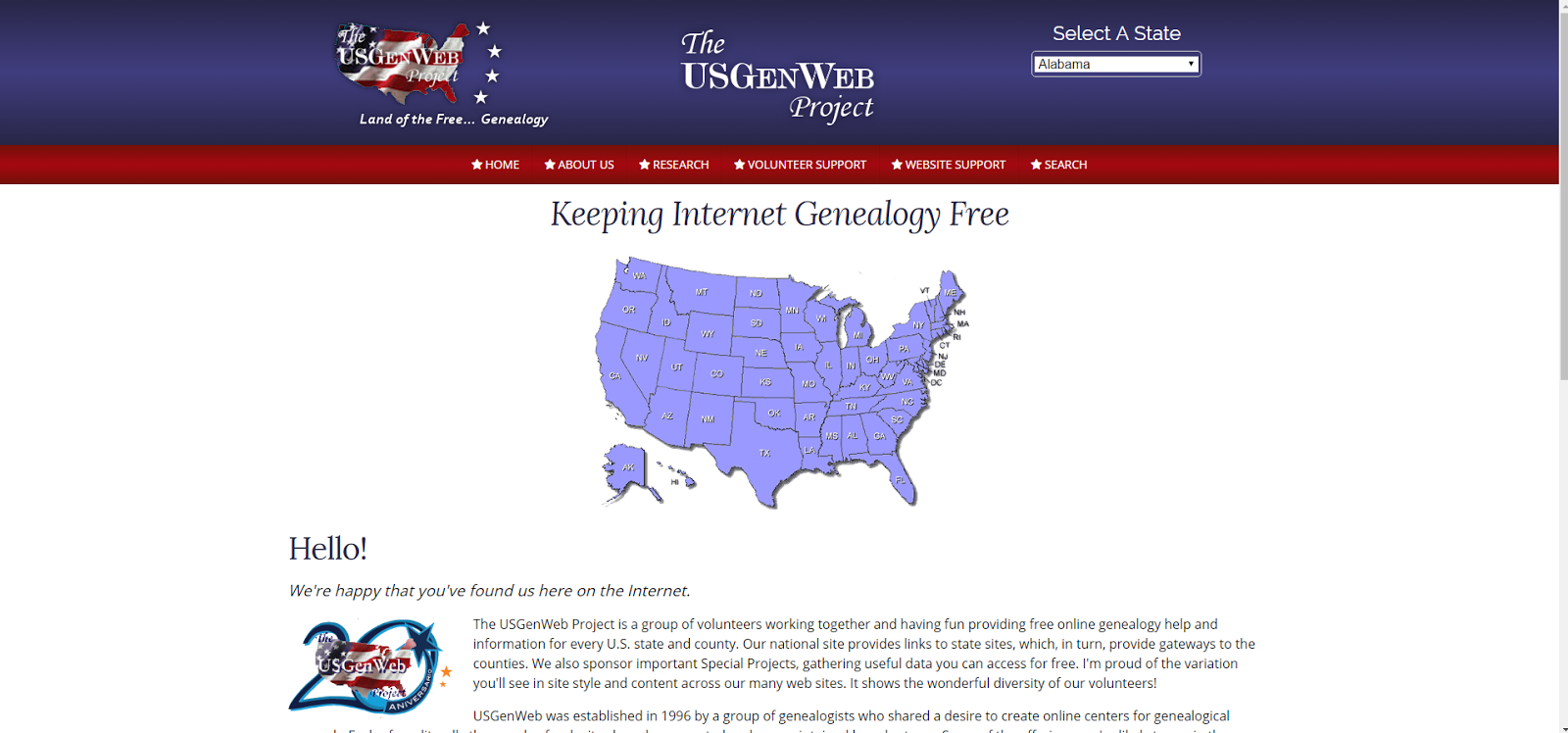
The U.S. Gen Web Project is a group of volunteers working together to
provide free genealogy information for every county and every state within the
United States.
When you visit their website at: www.usgenweb.org, click on the state your ancestors are from (in the upper right hand corner of the webpage). You will find resources by county, genealogy societies (which may have information or have volunteers willing to look up information for you), church records, mailing lists, history, photos, archives, biographies and other helpful links. This is information that will provide a good amount of history on your ancestor’s place of residence.

When you visit their website at: www.usgenweb.org, click on the state your ancestors are from (in the upper right hand corner of the webpage). You will find resources by county, genealogy societies (which may have information or have volunteers willing to look up information for you), church records, mailing lists, history, photos, archives, biographies and other helpful links. This is information that will provide a good amount of history on your ancestor’s place of residence.
Secrets of the U.S. Census
 We were excited to see another good turn out for our second meeting on February 28th. It's a great bunch of people sharing information, ideas and tips.
We have a good mix of people with different levels of experience. The folks that are new to genealogy have an opportunity to learn and ask questions, and those who are more experienced can offer up their hard-earned advice on searching for ancestors.

This month we discussed the "Secrets to Maximizing the U.S. Census in your Research."
The following is the information we discussed on using the U.S. Census records in order to get the maximum amount of information from it. Click here for a "printable version."
#1 - VIEW THE ORIGINAL
RECORD – By looking at the image of the original U.S. Census record you will be able to
gather a lot of additional information about your ancestor:
The 1850 census provides:
* The names of all family members (this will help
you build a family group).
* The state or country your ancestor was born (this
will lead you in the right direction when searching for additional records).
* Indicates if your ancestor couple were married
that year (this may help you find a marriage record).
* Indicates the value of real estate owned by an
individual (this may lead to additional information in property records, as
well as a family cemetery on their homestead).
The 1860 census provides:
* Personal Property (including slaves).
* Personal Property (including slaves).
The 1880 census provides:
* The relationship of each person in that family to the head of household (this will help you verify the family from census to census, especially when a spouse has remarried).
* The birthplace of the father and mother for each individual listed (this will provide a different state where your search will go, or the foreign country where they emigrated from).
* Whether the individual was sick or temporarily disabled (this may indicate that a death is near).
* The relationship of each person in that family to the head of household (this will help you verify the family from census to census, especially when a spouse has remarried).
* The birthplace of the father and mother for each individual listed (this will provide a different state where your search will go, or the foreign country where they emigrated from).
* Whether the individual was sick or temporarily disabled (this may indicate that a death is near).
The 1900 census provides:
* The number of years a couple has been married (this will give you a time frame in which to search for a marriage record)
* The month in which an individual was born (this will be helpful when searching for birth or baptism records).
* Lists the total number of children born and the total living.
* The number of years a couple has been married (this will give you a time frame in which to search for a marriage record)
* The month in which an individual was born (this will be helpful when searching for birth or baptism records).
* Lists the total number of children born and the total living.
The 1910 census provides:
* Information on the military service of an ancestor in the Union or Confederate Army or Navy (military records can be found if your ancestor served).
* If the marriage is a first or second one (if it’s a 2nd marriage you will want to check the birth dates of children to ensure the right line).
* Information on the military service of an ancestor in the Union or Confederate Army or Navy (military records can be found if your ancestor served).
* If the marriage is a first or second one (if it’s a 2nd marriage you will want to check the birth dates of children to ensure the right line).
Links to see what other information is available on the various census forms:
Family Search Census Page
High Point Checklists & Census Forms
Family Search Census Page
High Point Checklists & Census Forms
#2 - BUILD A FAMILY GROUP
– Start your census search with the 1850 Census. It is the first census that
lists all members of the family. Check all subsequent censuses as this will
give you an idea of births and deaths in the 10 years between censuses.
Include names of all family members (siblings, too) listed
on the census to your family tree. This one simple step will help you verify
that you have the right family when researching other Census years. It also may
be helpful when you run up against a “brick wall,” and you’ll need to research
a sibling’s life in search of the country where the parents were born.
#3 - DON’T DISCOUNT
MISSPELLED NAMES – Assuming that a family is not yours because their surname
is spelled differently is a common error. The education of yesterday was not at
all like now. In rural areas it was considered a good education if they stayed
in school until the eighth grade. That goes for census takers, too. Sometimes
the census taker was lazy or couldn’t spell and used initials. They may have
provided both initials, and that second initial may be helpful to differentiate
between cousins and their correct parents.
Names could be spelled a dozen different ways and still be the same
family (Ex: Estis, Eastis, Eastus, Eastuis, Eustis, Euctus, Eastuce, Ewastas
and Ewastus). You might find the same members of the family in the same county
spelled it differently, and it most likely might be the fault of the census
takers. In addition, sometimes they used a middle name instead of a first name,
and the names may have flip flopped from census to census. This is another
reason why “building a family group” will help you in your research. Names
might also be spelled differently in the same family’s documents (i.e. wills,
marriages, etc).
Note: When families immigrated to the U.S., they wanted to
be Americans so they “Anglicized” their names: Johanna might become Ann,
Wilhelm became William, Gerritt became Garrett, Franco became Frank, Antonio
became Anthony, and so forth. This can change from one census to the next.
#4 - DON’T DISCOUNT THE
AGES LISTED - Ages are a tricky item on Census records. Not all censuses
were taken on the same day every 10 years. The dates of the censuses are:
1790-1820: First Monday in August – 1830-1900: June 1 – 1910: April 15 – 1920:
January 1 – 1930-1940: April 1. This will impact the ages listed which many
times will differ from census to census. It seems easy to remember your age,
but there may be several reasons why your ancestor gave a wrong age. Just
because the age is off 2 to 5 years doesn’t mean it’s not your ancestor. The
ages listed on the censuses will help narrow a time frame for a birthdate. Referring
to your ‘family group’ will assist you in determining if it is your ancestor.
#5 - VIEW THE NAMES OF ALL
PEOPLE LISTED AS LIVING WITH YOUR ANCESTOR IN EACH CENSUS – You may
discover that the elderly parents of your ancestor is living with them. This is
a great way to discover another generation back. You may also find nieces and
nephews which will provide a circle of family surnames to assist in your
research down the road.
Neighbors should also be checked, especially if a father has
died and his children inherited his land. The mother may not own the land, but
has retained dowry rights to live on the land.
#6 - TRACK THE MOVEMENT OF
AN ANCESTOR – Some folks remained in the same place once they immigrated,
but others did not. By looking at every available census taken during your
ancestor’s lifetime, and taking note of the area they lived will help you track
their movements. Telephone directories and State Census’, which occur in
between the Federal Censuses will also help you track their movements and know
where to search for records. Note: the person may not have moved at all, but
the county/state line may have moved, so your ancestors could now be listed in
a different location even though they are living in the same home.
#7 - LOCATE ADDITIONAL
FAMILY MEMBERS – Immigrants usually traveled in groups. Your 2nd-great
grandparents may have traveled to the new world along with their parents and/or
the wife’s parents. Or, your ancestor
may have traveled with an adult brother. Search the entire census page, as well
as one page back and one page forward for similar surnames. This information
may prove helpful down the road in tracking your ancestor down.
#8 - DISCOVER THE EVERYDAY
or NICKNAME USED BY YOUR ANCESTORS – People generally provided a shortened
version of their birth name or a nickname to the census taker. You may discover
that these names show up on other records in lieu of their birth name.
Sometimes these names can vary quite a bit from their birth names (Ex: My
great-grandmother Frances Regina only used her nickname of Maud on all records.
Another ancestor shortened her name from Seraphine to Seraphe).
#9 - ESTIMATE THE PERIOD
OF TIME AN ANCESTOR DIED – Your great grandmother might show up on a future
census listed as a widow. Now you will know the time period in which to search
for a death record for your great grandfather and most likely, in what city if
they are still located in the same place. If not, you will have two locations
in which to search for his death record.
#10 - TRACKING WOMEN
ANCESTORS – The Biblical ‘thing’ about women came from the fact that when
you married, you became part of your husband’s family. You left your parents
and “cleaved to your husband.” Once they were married they took on the
husband’s surname. Sometimes this can become a “brick wall” that will give you
fits. Marriage records will be one of the best resources for tracking women. A
lot of families didn’t bother to document their women as well as they did their
men.
When husbands and wives died, it was not unusual that the
remaining spouse remarry within a very short period of time. It seems heartless
at times, but they had children to rear and families to support. Often times it
was a necessity. You might find a different wife in three subsequent censuses.
Sorting the children is the difficult part, but an important one to ensure
you’re following the right line. The 1900 census lists the year of the marriage
of the present couple. It also includes information on how many children the
wife had and how many were living.
Kick-off Meeting for the Mount Dora Genealogy Group

We had a great turn out of interested genealogy buffs, and an excellent presentation by Debbie Baker of Eustis. Her presentation was on "Building a solid family tree one ancestor at a time."
She spoke of the importance of staying organized and utilizing a "research checklist,"
"family group sheet," and "research log" when researching family history. Numerous genealogy tracking forms can be found at the Family Search, Ancestry or Family Tree Magazine website.
One key factor when building a family tree is to fully research each individual ancestor prior to moving on to the next generation. This is especially true if you are building a family tree on Ancestry.com. The more details and sources of information you can fill in for each ancestor, the more relevant the automatic hints will be for the next generation. This single step will save you time and aggravation when researching the next generation.
When researching each ancestor, it is important to find as many primary sources as possible to connect one generation to the next. Primary sources are: birth/baptismal, marriage, death, military and census records. These records will ensure that you are building a solid and accurate family tree.
Subscribe to:
Comments (Atom)